
Hubbub Pro 2.29.0 and Pro+ tier license required.
Hubbub counts Action Button clicks in your WordPress website and can optionally send click events to Google Analytics (GA4).
What is counted #
Hubbub counts Action Button clicks per post and stores:
- Total Action Button clicks on the post
- Click counts by individual button
- Button label, action type, and URL
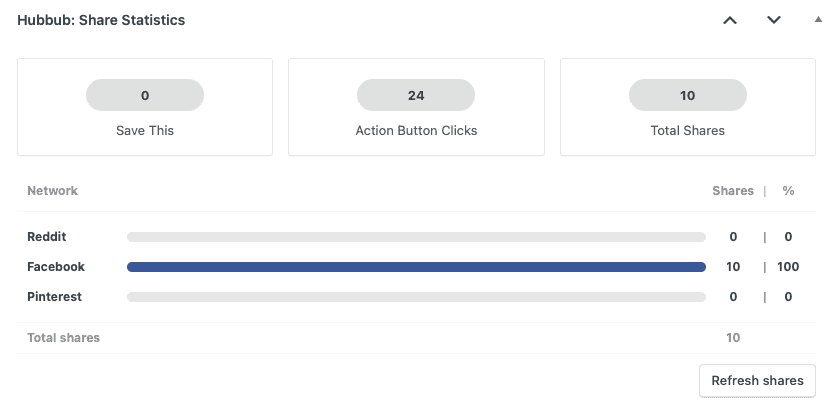
To view these click stats, you can look in three areas: in the Share Statistics Panel in the Hubbub area of the post area, in the post list table (the Action Button clicks column), and in the Hubbub Dashboard.
Enable GA4 event tracking #
- In WordPress Admin, go to Hubbub > Action Buttons
- In the Tracking card, enter your Google Analytics Measurement ID (example:
G-XXXXXXXXXX) – To find this, log into Google Analytics, click Admin > Data Streams > and choose the Web stream that you’ll be measuring. - Save changes
💡 Please note: No extra code is required if gtag is already installed on your site. If you’re unsure what this is, please ask your website developer or send us a note to support.
Event details sent to GA4 #
Event name: action_button_click
Common parameters:
event_category: “Action Buttons“event_label: button label (or URL fallback)action_type: action type (ai,google,jump,exlink,share)button_id: stable button identifierpost_id: WordPress post IDlink_url: button URL
Troubleshooting #
If events are not showing in GA4:
- Confirm your GA4 Measurement ID is correct.
- Confirm GA4 script is loaded on the page.
- Test in GA4 Realtime reports first.
- Disable cache temporarily and re-test.